
Invoices, quotes and receipts, ready in minutes.
Create a document online, check the preview and download a PDF. No account needed to start.
No account needed to create and download. Sign in to save your work.
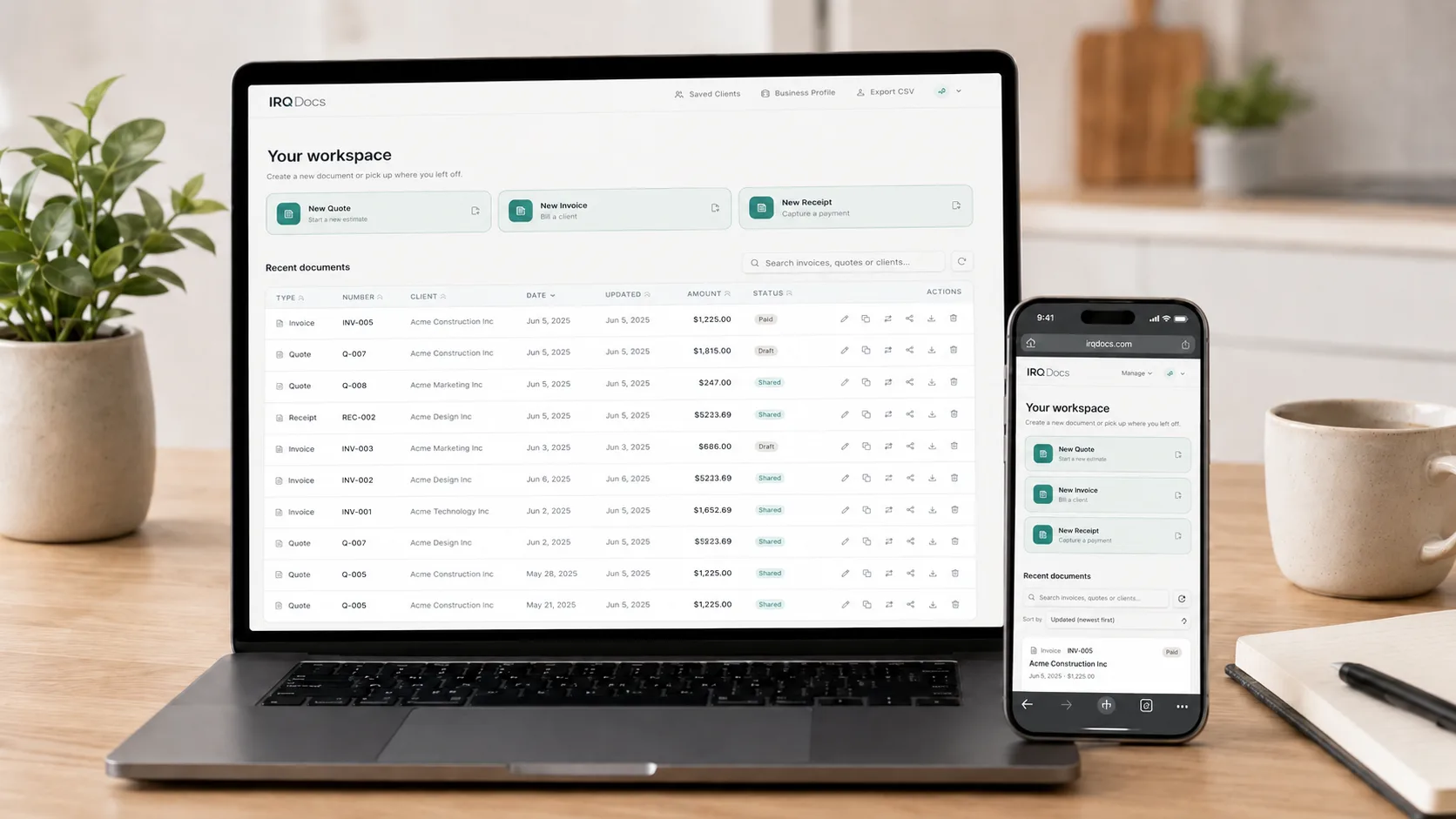
Your saved work stays with your account
Save documents to your IRQDocs account and return to them from your dashboard.
Use IRQDocs on your phone, tablet or computer
Open the editor in your browser. There is no app to install.
Clients do not need an account
Send a PDF or create a read-only share link for a saved document.
Invoice-ready in under a minute
Reuse saved business and client details, check the preview and download the PDF.
The editor
Edit the details and check the document as you go.
Add your details in the editor and check the preview beside it. When the document is ready, download the PDF.
Invoice
Acme Studio
221 Market St
San Francisco, CA
84 Roastery Lane
Portland, OR
Features
Built to do one thing well.
Three document templates
Choose from Minimal, Professional and Modern for invoices, quotes and receipts.
Download as PDF
Check the preview, then download the finished document as a PDF.
Read-only share links
Signed-in users can create a share link for a saved document. Clients can open it without an IRQDocs account.
Invoices, quotes and receipts in one editor
Use the same familiar form and preview for each document type.
No account needed to create and download
Start with an invoice, quote or receipt. Sign in when you want to save your work.
The fields you need, without full accounting software
Add line items, tax, discounts, payment details and notes in one editor.
Plans
Choose how you want to use IRQDocs
Create and download without an account. Sign in for saving and sharing, or choose Pro for unlimited use and extra tools.
No account
For creating and downloading without signing in.
- Create invoices, quotes and receipts
- Check the live preview
- Download PDFs
- Sign in when you want to save or share
Free account
For saving work and coming back later.
- Everything available without an account, plus:
- Save up to 25 documents
- Keep up to 10 active share links
- Reuse your business details
- Access your dashboard and document history
Pro
$4.99/month $49.99/year when billed annually Sign in to subscribe. Cancel through the billing portal.
- All Free account tools, plus:
- Unlimited saved documents
- Unlimited active share links
- Convert quotes into invoices, then receipts, without retyping
- CSV export for documents and line items
- Extra templates and branding
Subscriptions renew automatically until cancelled. Pro remains active until the end of the paid billing period after cancellation.
| Feature | No account | Free | Pro |
|---|---|---|---|
| Create invoices, quotes, receipts | ✓ | ✓ | ✓ |
| Live preview | ✓ | ✓ | ✓ |
| Download PDF | ✓ | ✓ | ✓ |
| Professional templates | ✓ | ✓ | ✓ |
| Save documents (up to 25 on Free) | - | ✓ | ✓ |
| Active share links (up to 10 on Free) | - | ✓ | ✓ |
| Document history & dashboard | - | ✓ | ✓ |
| Saved business details | - | ✓ | ✓ |
| Unlimited saved documents & share links | - | - | ✓ |
| Convert quotes → invoices → receipts | - | - | ✓ |
| CSV export for documents and line items | - | - | ✓ |
| Extra templates and branding | - | - | ✓ |
Free accounts include 25 saved documents and 10 active share links. Pro removes those limits and adds CSV export and document conversion.
Why IRQDocs
What IRQDocs is, and isn’t.
IRQDocs is not accounting software. It won’t file your taxes, reconcile your bank account, run payroll, process payments or replace your accountant.
It focuses on helping you create invoices, quotes and receipts, then download the PDF or share a read-only link with your client.
That’s it. That’s the point.
FAQ
Common questions
What is IRQDocs?+
IRQDocs is an online tool for creating invoices, quotes and receipts. Use the editor to add the details, check the preview and download a PDF. It is not full accounting software.
Do I need an account to create a document?+
No. You can create, preview and download invoices, quotes and receipts without an account. Sign in when you want to save documents, reuse business details or create share links.
What does a Free account include?+
A Free account lets you save up to 25 documents, keep up to 10 active share links, reuse business details and access your dashboard and document history.
What does Pro include?+
Pro includes unlimited saved documents, unlimited active share links, quote-to-invoice-to-receipt conversion, CSV export for documents and line items, and extra templates and branding.
Can I create invoices, quotes and receipts?+
Yes. You can create all three document types without an account. Each uses the same editor with the relevant labels and fields.
Can clients open a share link without an account?+
Yes. Signed-in users can create a read-only share link for a saved document. Your client does not need an IRQDocs account to open it.
Are share links read-only?+
Yes. A share link lets the recipient view the document but not edit it. Anyone with the link may be able to open it, so send it only to the intended recipient.
Is IRQDocs accounting software?+
No. IRQDocs creates invoices, quotes and receipts. It does not handle bookkeeping, tax filing, payroll, bank reconciliation or payment processing.
Can I use IRQDocs on my phone?+
Yes. You can use IRQDocs on a phone, tablet or computer through your browser.
What happens when I cancel Pro?+
You can cancel through the billing portal. Your Pro access continues until the end of the current paid billing period.
Create your next invoice, quote or receipt
Create and download without an account. Sign in when you want to save your work.